


Contact page for freelancers: how to turn visitors into leads
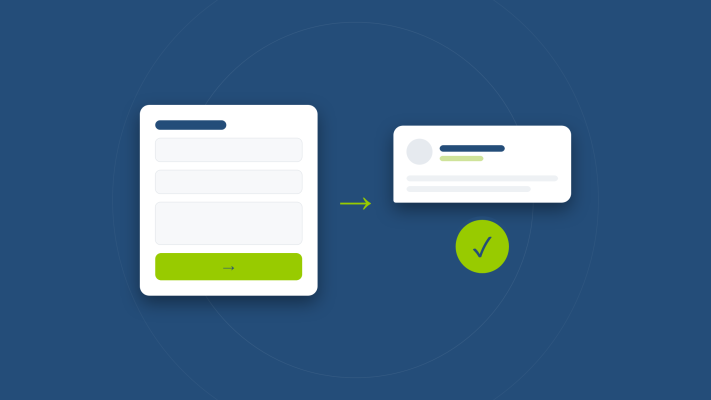
The contact page is probably the most overlooked page on your website. Many freelancers slap a form on it, add an email address, and call it done. But when someone lands on your contact page, they're already seriously considering reaching out. That's exactly the moment you don't want to lose them.
Start with a short, reassuring intro
Most contact pages dive straight into a form with no context at all. That feels cold. Add a short paragraph above the form that welcomes visitors and sets expectations. Something like: "Got a question or want to know what I can do for you? Send me a message and I'll usually get back to you within one business day." That kind of tone removes hesitation and makes the page feel human.
Only ask what you actually need
A form with ten fields will scare people off. In most cases, a name, email address, and message field are more than enough. If you want to know the reason for the inquiry, add a simple dropdown with two or three options. Keep it short. The fewer barriers you place in the way, the more likely someone is to actually hit send.
Offer more than one way to get in touch
Not everyone wants to fill out a form. Some people prefer to call, others would rather send a quick message on WhatsApp or LinkedIn. By offering a few options, you make yourself accessible to more people. Just make sure you only list contact methods you actually check regularly.
Tell people what happens next
A small change that makes a big difference: let visitors know what to expect after they hit submit. "I'll get back to you within one business day" is all you need. It builds trust and removes doubt about whether the message even went through. A clear confirmation message after submission also helps a lot.
Use your contact page as part of your bigger story
Someone who's thinking about contacting you might want to double-check something first. Make it easy by linking to relevant pages like your services, your portfolio, or your frequently asked questions. That way you give hesitant visitors one more reason to stay and take action.
Build trust right before the contact moment
Your contact page is a great spot to briefly show who you are. A photo of yourself, a short quote, or a client testimonial can make a real difference. People hire people, especially when working with a freelancer. If you're already collecting client reviews, a short quote on your contact page is a smart addition. Check out this post on how to collect client reviews and build online trust for practical tips.
Quick checklist for your contact page
- A short intro that welcomes the visitor
- A form with as few required fields as possible
- Multiple ways to get in touch
- Clear response time expectation
- A confirmation message after submitting
- Links to your services, portfolio or FAQ
- A personal touch like a photo or quote
A well-built contact page takes little effort but can seriously increase the number of people who actually reach out. Want to see how it looks in practice? Feel free to visit my own contact page. And if you're still building out your site as a freelancer, this post is a great starting point: Your first website as a freelancer: what do you actually need?
Rather have it done than figure it out yourself?
I help businesses in Groningen, across the Netherlands and abroad with exactly this kind of question. Tell me briefly what you need and you will hear back within one working day.
Continue reading