


Out of stock or discontinued: what to do with that product page?
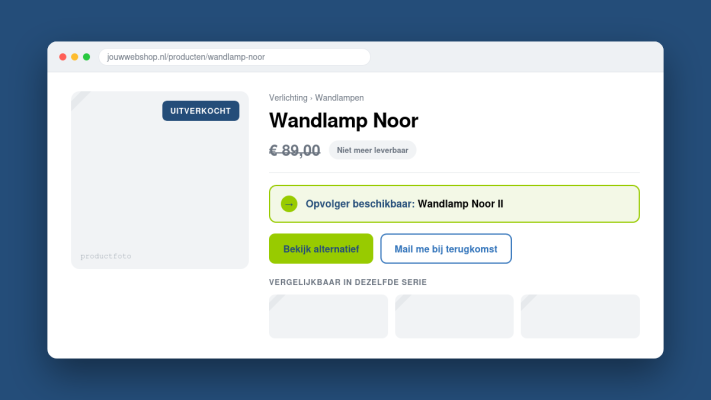
Your product range changes over time. Items sell out, suppliers stop delivering, or you simply decide to move on. Whatever the reason, you're left with product pages that no longer serve a purpose. Just deleting them feels like the obvious fix, but it's rarely the right one.
Why you shouldn't just delete product pages
A product page that's been live for a while may have earned backlinks, built up some search ranking, and still receives regular traffic. Delete it without a plan and visitors hit a 404 error page. That's a poor experience for them and a signal to Google that your site isn't well maintained. You lose any SEO value that page had built up over time.
Temporarily out of stock: keep the page live
If a product is just temporarily unavailable, leave the page up. Make it clear the product is currently out of stock and add an option for visitors to sign up for a restock notification. This keeps interest alive and gives you a list of people who are already ready to buy. You can hide the page from your navigation if needed, but don't take it down.
Permanently discontinued: use a redirect
If you're done with a product for good, a 301 redirect is your best option. It automatically sends both visitors and search engines to another relevant page, like a similar product or a category overview. This preserves the SEO value of the old URL and ensures visitors don't end up at a dead end. You can read exactly how redirects work in Wat is een redirect en wanneer gebruik je een 301 of 302?
No good alternative? Turn it into something useful
Sometimes there's nothing similar to redirect to. In that case, consider transforming the page into something informative. Explain why the product is no longer available, suggest alternatives, or point visitors toward a relevant category. It's better than an empty error page and shows visitors that you communicate openly as a business.
What to avoid at all costs
- Taking pages down without any redirect or message
- Leaving 404 pages with no further guidance
- Abandoning visitors on a blank or half-finished page
- Forgetting to update or remove the page from your sitemap
If you have a lot of outdated product pages, your sitemap is worth checking too. A clean, accurate sitemap helps Google understand your shop better. More on that in Wat is een sitemap en waarom begrijpt Google je site daardoor beter?
Small maintenance, big impact
These things might seem minor, but they directly affect how professional your shop looks and how well it ranks. Keeping an eye on which pages are still accurate is part of running a solid website. Check out Website-onderhoud: wat je maandelijks minimaal moet controleren for a practical overview of what to review regularly.
Looking for a custom-built webshop or want to improve the technical setup of your existing one? Take a look at the services page or feel free to get in touch.
Rather have it done than figure it out yourself?
I help businesses in Groningen, across the Netherlands and abroad with exactly this kind of question. Tell me briefly what you need and you will hear back within one working day.
Continue reading